Overview:
Unlike standard ad campaigns that focus on website conversions, Meta Omnichannel Ads help you grow revenue across every channel, including your physical stores and retail partners.
To run these campaigns, you’ll need two things: (1) a product catalog that includes your offline assortment, and (2) conversion data captured from those offline sales.
What our integration does:
Brij tracks purchases from consumers who buy your products at retailers like Amazon, Target, and Walmart. When someone scans the QR code on your product or packaging and signs up or registers through our modules, we capture that event and send it to the Meta Conversions API as an offline conversion.
Here’s how this impacts your Meta campaigns:
Offline revenue gets attributed in Meta. Your ROI will spike, but you can still break results out by online vs. offline to keep things grounded.
You unlock the “Website and In-Store Sales” conversion location in your campaigns (selecting this location is what makes them "Omnichannel Ads"). With it, Meta optimizes to increase revenue across all channels: DTC, retail, online, and offline.
Broader targeting, cheaper reach. Meta will go after potential online buyers and in-store buyers, which means a wider audience, bringing your CPMs down.
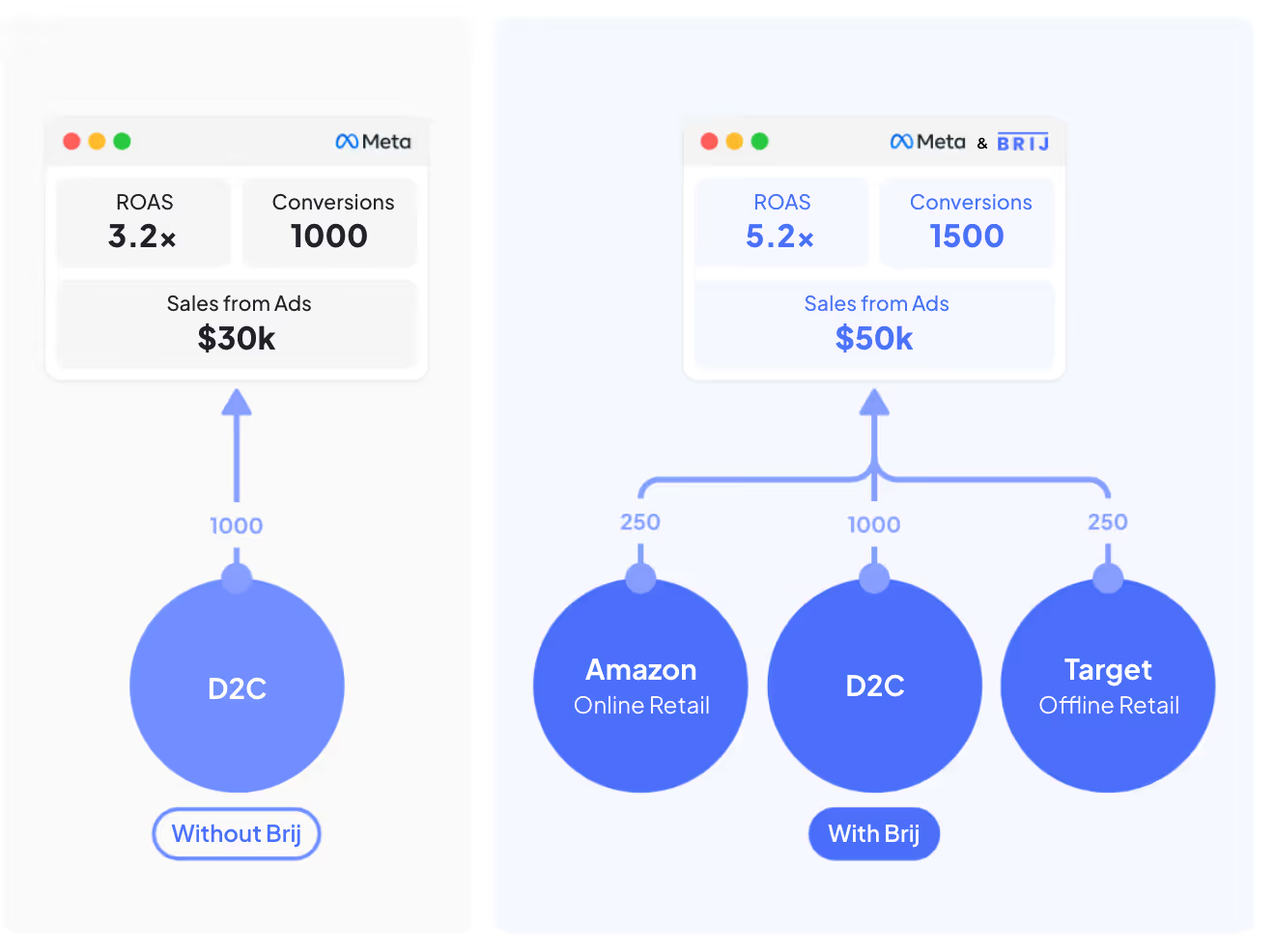
What is the lift?
- To enable the Meta integration in Brij follow these steps: How to set up Brij's Meta CAPI (Conversions API) Integration
- Don't worry about setting up new ad creatives for Omnichannel Ads. Text, images and videos that perform for online purchases will generally translate to offline purchases performance as well.
What to watch out for:
Once your Omnichannel Ads are running, keep track of audience metrics / dimensions. See how your ad views audience demographics change with time. If once you were targeting only potential online buyers, the audience demographics should change with Meta going after potential offline buyers as well.